July 30, 2023
By: Kevin
局域网的好心人(固定ip:192.168.0.104)
Clash + https://okz2.xyz/ 是个很棒的翻墙方案, 价格便宜量又足. 刚刚发现它还可以在局域网实现共同翻墙, 一人有梯, 全村受益.
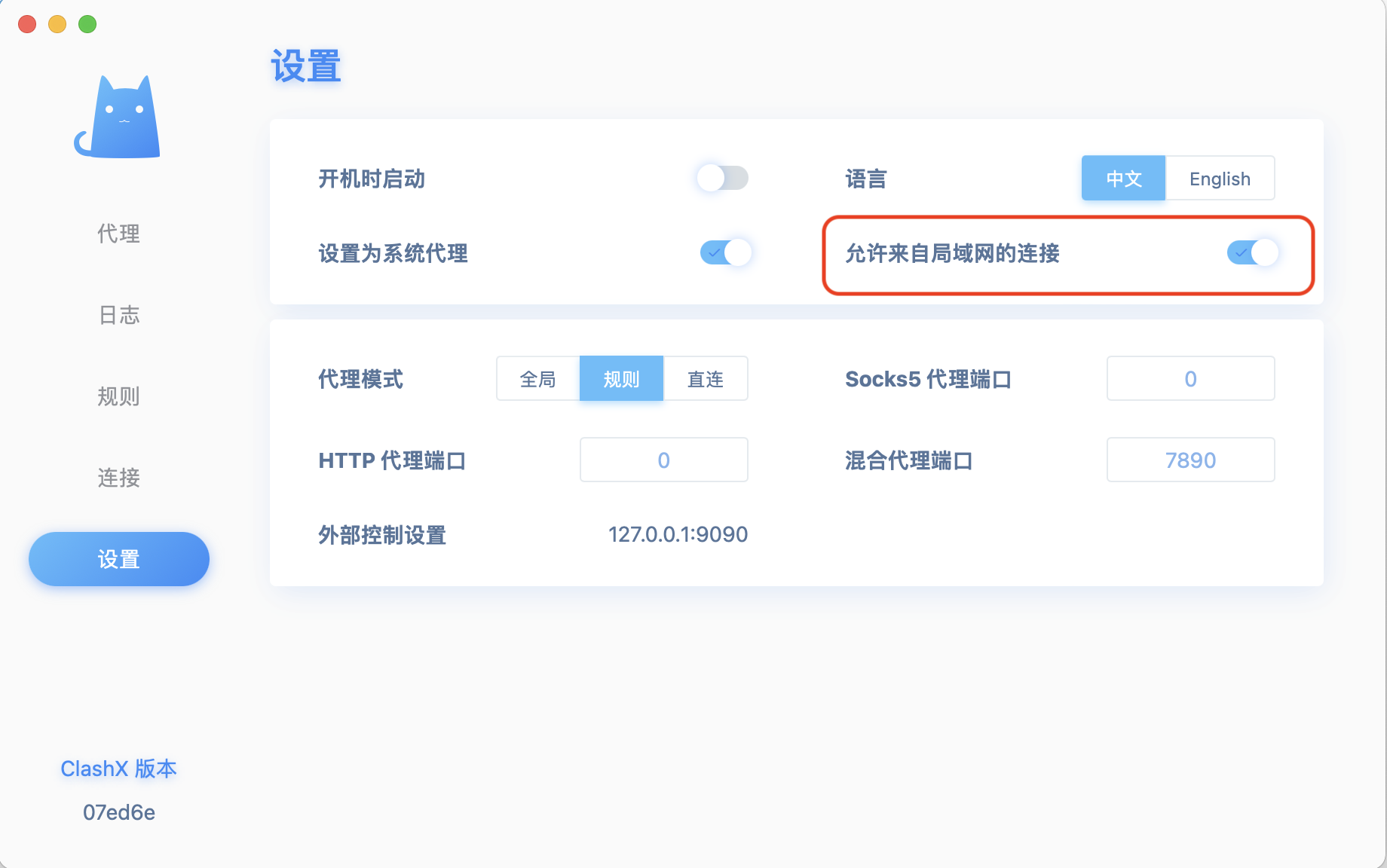
有需求(且没有梯子)的小伙伴, 可以通过局域网的设置代理实现(前提是好心人在&开机).
  +------------+     +-------------+    +-------------+
  |   PC/Mac   |     |             |    |   google    |
  |    Emacs   |---->| Clash Proxy |--->|  chat gpt   |
  |   Terminal |     |             |    |   youtube   |
  +------------+     +-------------+    +-------------+
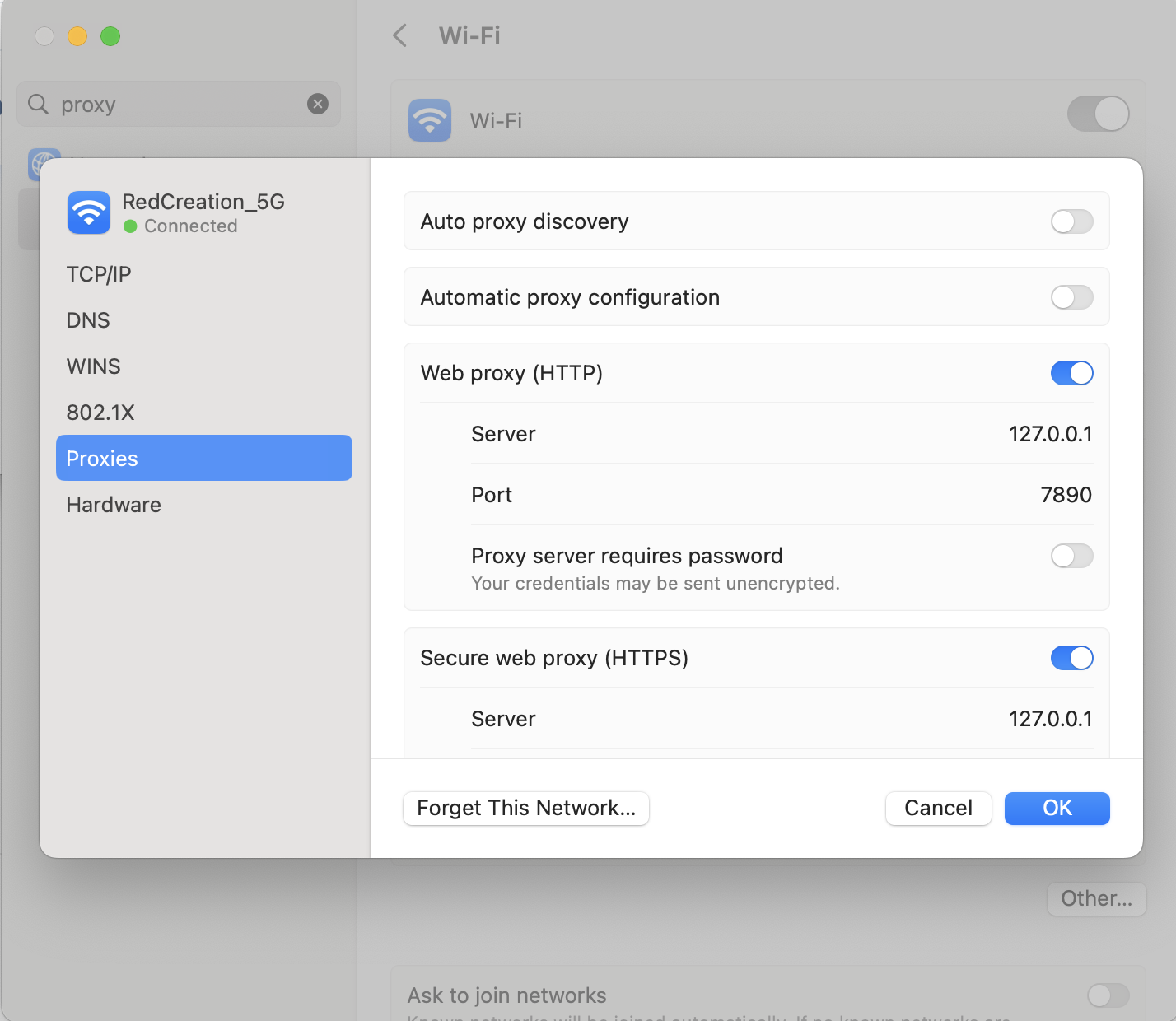
需要连接网络 RedCreation-5G, 代理服务器当前网络的的IP: 192.168.0.104, 端口 7890.
全局代理(mac/win)
可以设置全局代理, 大部分软件会走代理, 但也有不走寻常路的, 需要自己设置.
shell
各种linux shell中可以设置, 可以用于wget, curl, ping, apt, yum, brew等等
打开
export https_proxy=http://192.168.0.104:7890 http_proxy=http://192.168.0.104:7890 all_proxy=socks5://192.168.0.104:7890
关掉
unset https_proxy
unset http_proxy
unset all_proxy
powershell
windows下用powershell
增加
$Env:http_proxy = "http://192.168.0.104:7890"
$Env:https_proxy = "http://192.168.0.104:7890"
$Env:all_proxy = "socks5://192.168.0.104:7890"
移除
Remove-Item Env:\http_proxy
Remove-Item Env:\https_proxy
Remove-Item Env:\all_proxy
浏览器
浏览器代理设置
emacs
打开
  (setq url-proxy-services
        '(("http". "192.168.0.104:7890")
          ("sock5". "192.168.0.104:7890")
          ("https". "192.168.0.104:7890")))
关闭
(setq url-proxy-services nil)
流量有限, 薅羊毛太狠我会关掉的....